The invoice app you buy once.
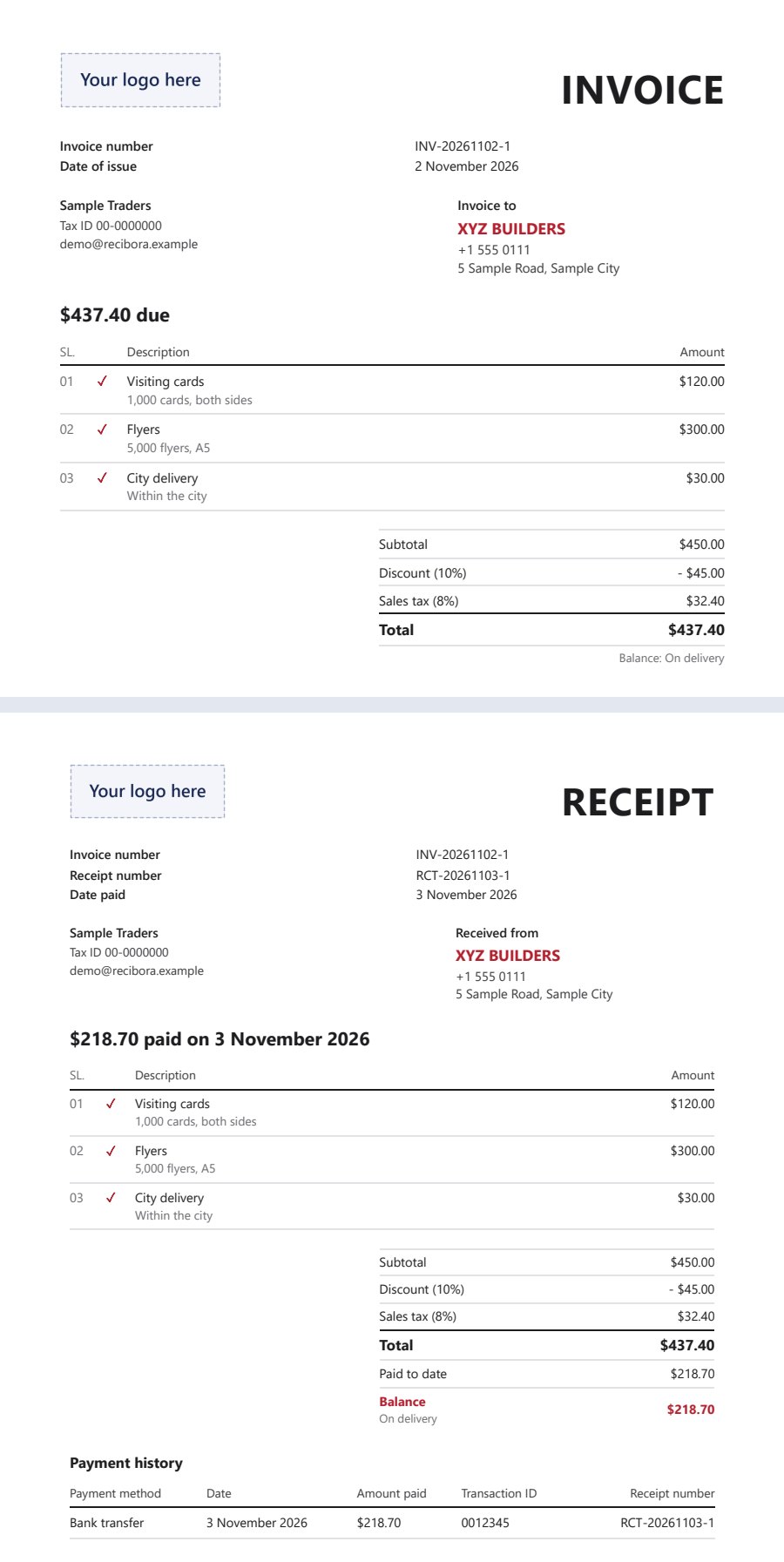
Make an invoice on your phone, send the PDF to your client, and make the receipt from the same invoice when they pay.
INVOICE → PDF → ADVANCE → RECEIPT → BALANCE
Every record stays in a Google Sheet in your own Google Drive.
pay once,pick your plan
No monthly fee on any plan. Recibora and Recibora Plus are for one business each.
Recibora
$29 one time
- Invoices, receipts and PDF
- Every feature in the app today
- Bug fixes at no extra cost
- Help by email
- New features released later are sold separately
Recibora Plus
$49 one time
- Everything in Recibora
- Every new feature released in the next 2 years, at no extra cost
- Bug fixes at no extra cost
- Help by email
Plus, 2 businesses
$79 one time
- Everything in Recibora Plus
- For two businesses: one licence key that works in two Google accounts, each with its own Sheet
- Every new feature released in the next 2 years, at no extra cost
- Help by email
Write to us and we will reply with the steps to buy. The 2 years of the Plus plans count from the day you buy. See the terms and the refund policy.
What you can dowith Recibora
Set up your business once. After that, each invoice takes about a minute.
- 01 /Invoices with your logo, services and bank details
- 02 /Save the invoice as a PDF and send it to your client
- 03 /Make a receipt from the same invoice when a client pays
- 04 /See the payment history and the balance on every receipt
- 05 /Add a discount as an amount or a percentage
- 06 /Add your own tax name and rate, on top or included
- 07 /Invoices in English, Spanish, Portuguese or French, in your own currency
- 08 /Your colour, your logo and two invoice designs, on A4 or Letter
- 09 /Find any old invoice by client name or number
and your recordsstay with you
Recibora keeps your invoices, receipts and clients in a Google Sheet in your own Google Drive. We cannot see them. You can open the Sheet any time, and Google keeps its older versions for you.
this is whatone invoice turns into
Examples with dummy details.
Northgate Builders
Building and renovation
$1,850 kitchen renovation, 50% advance
PDF sentBank transfer
Inkwell Print Co.
Printing and design
$1,240 flyers and banners, paid in 3 parts
Paid in fullCard and cash
Estudio Lumen
Photography studio
$800 wedding shoot, invoice in Spanish, 10% off
SpanishPayPal
it only takesabout a minute per invoice
Add your logo, bank details and services once. After that, pick a service, type the amount and save the PDF.
questions
What do I need?
A Google account (Gmail), the Chrome browser and an internet connection. Recibora does not work offline.
Where is my data kept?
In a Google Sheet in your own Google Drive. We cannot see your invoices or your clients. You can open the Sheet yourself and use Google's version history to bring back an older copy.
Is there a monthly fee?
No. You pay once: $29 for Recibora, $49 for Recibora Plus, or $79 for Recibora Plus for two businesses. Bug fixes are included in all of them.
What is the difference between Recibora and Recibora Plus?
Both have every feature the app has today. With Recibora, new features released later are sold separately. With Recibora Plus, every new feature released in the 2 years after you buy is included at no extra cost. Recibora Plus for 2 businesses is the same as Recibora Plus, and its one licence key works in two Google accounts: one for each business.
Why does Google ask for permission?
Recibora asks Google for two things only: to know which Google account you use, and to use the files Recibora itself creates in your Drive (its own Sheet). It cannot see your other Drive files, your email or your contacts. Google may send you an email saying you gave Recibora this permission.
How do I open Recibora again?
Press "Open app" at the top of this page, or go to this website's /app/ page, and sign in with the same Google account. Your licence and your invoices are found again from your own Google Sheet.
Can I use it on my phone?
Yes, in Chrome on your phone and on your computer.
Does it connect to government e-invoicing, such as FBR?
No. Recibora works out tax at the rate you set, but it does not connect to any government e-invoicing system. If your business must issue electronic tax invoices, please ask your tax advisor.
Can I share my copy with another business?
No. Recibora and Recibora Plus are for one business. If you run two businesses, choose Recibora Plus for 2 businesses.